Features

From the score sheet to the report sheet.

One app for the subject teacher, the class teacher and the school admin. Each person sees exactly what their role needs — nothing more.

1 · Score sheets

Enter a class's scores in minutes.

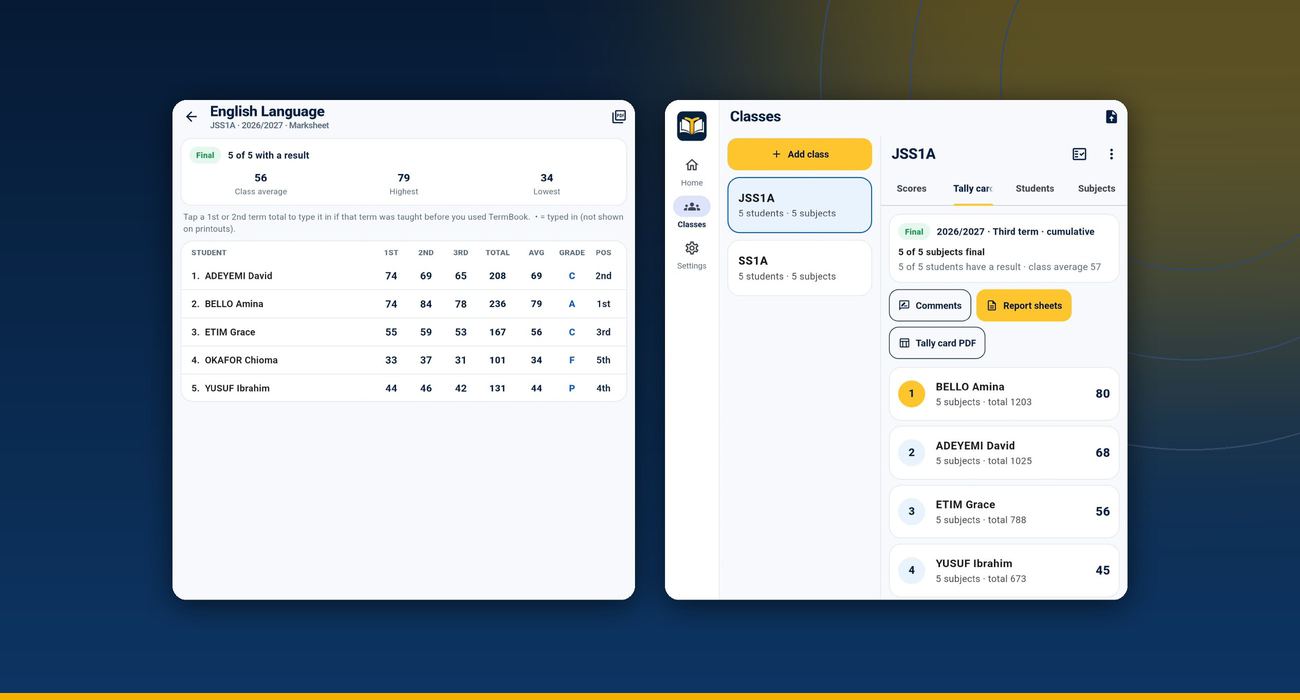
A score sheet per class, subject and term. A large number pad moves to the next student by itself, so a whole class takes a few minutes.

  • Number pad built for speed; half marks allowed
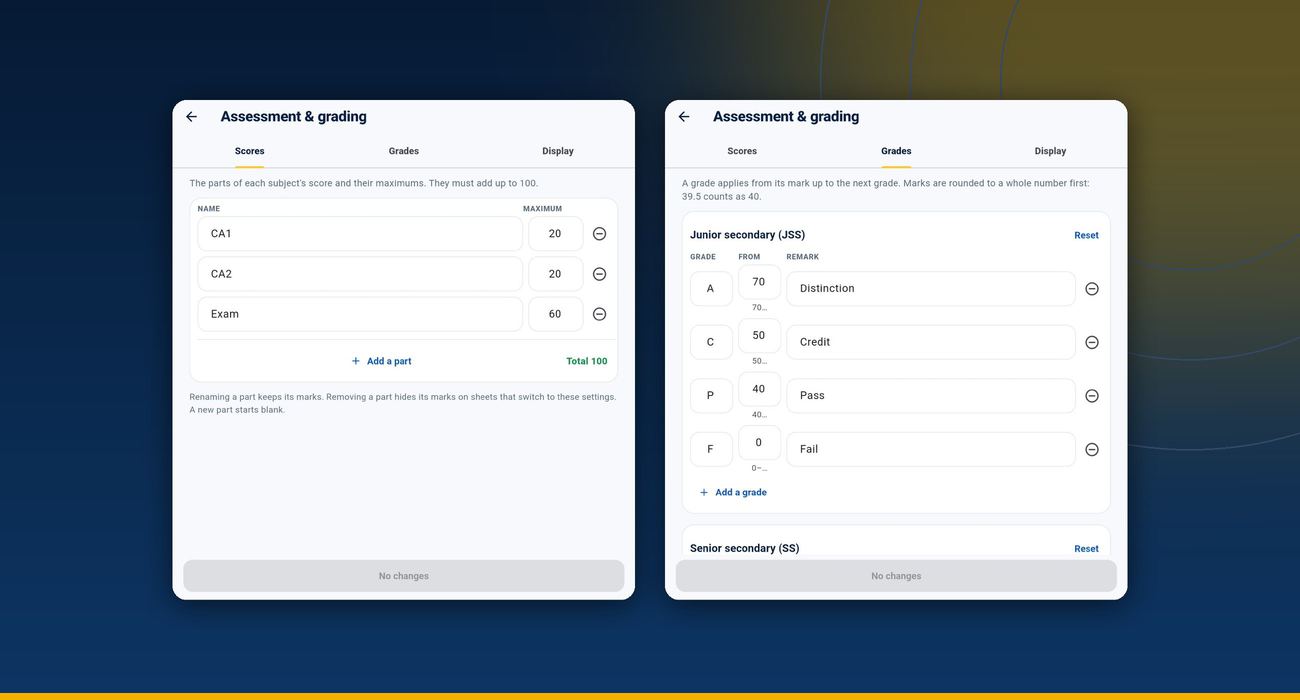
  • CA1, CA2 and exam — or set your own assessments and maximums
  • Scores above the maximum are shown in red and can't be submitted
  • ABS for absent, EXC for exempt — handled correctly in every total
  • Score sheet PDF to print or share; a DRAFT mark until it is final
A TermBook score sheet and tally card
Assessment and grading settings in TermBook

2 · Results

Totals, grades and positions — exact.

TermBook follows your school's rules and never rounds in the wrong place, so the score a parent reads always matches the grade beside it.

  • Whole-number rounding by default (39.5 is 40), or the decimals your school chooses
  • WAEC A1–F9 for SS, A/C/P/F for JSS, primary scales — or edit your own
  • Positions with fair ties (1st, 2nd, 2nd, 4th)
  • Third-term cumulative results from all three terms, including terms before TermBook

3 · Report sheets

Report sheets parents can read.

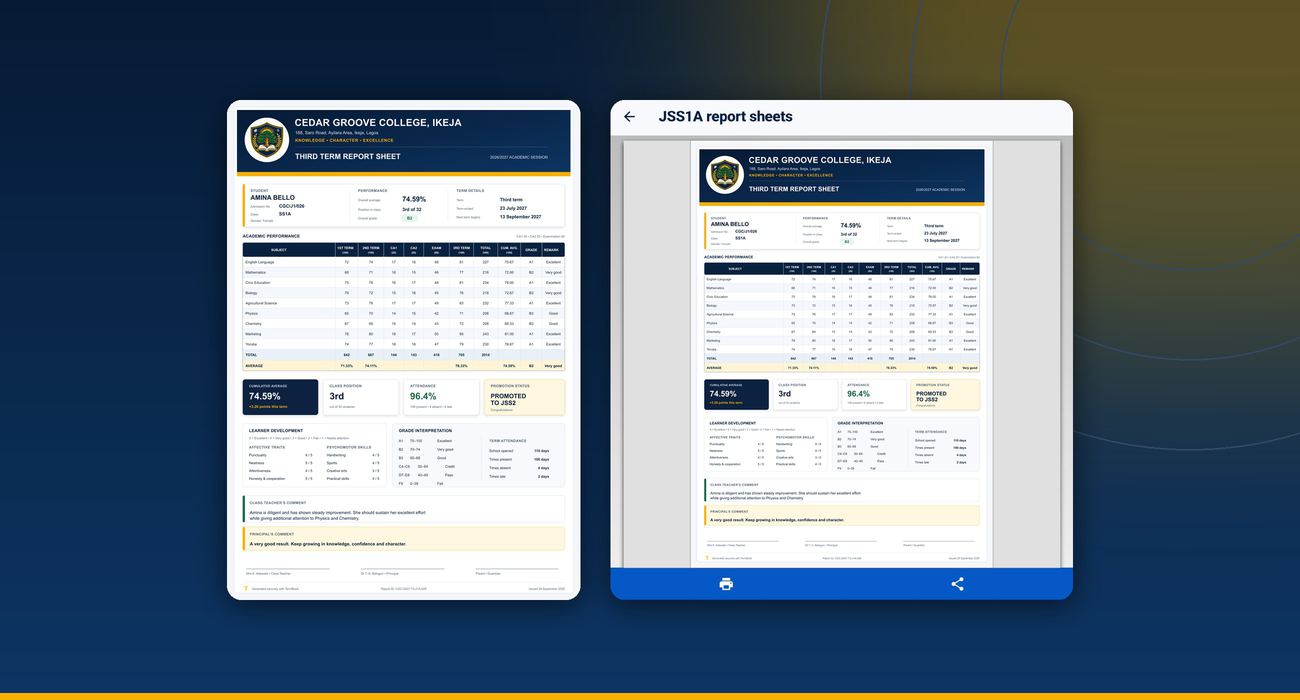
Choose one of three designs. Your logo, the principal's signature and the class teacher's signature go on every sheet.

  • Per student: scores, total, average, grade, position in class, attendance
  • Broadsheet for the whole class, marksheet per subject for the year
  • Teacher and principal comments, with a bank of ready-made ones to choose from
  • Navy, light or print-friendly design; colour or black and white
Three TermBook report sheet designs
Class registers in TermBook

4 · Class registers

The daily register, without the paper.

Every student starts as present: untick the absent, long-press for late, save. The term's attendance goes straight onto the report sheet.

  • Morning and afternoon registers if your school takes two
  • Saved on the school premises, with fake-location apps detected (if your school wants it)
  • Two deputies per class take the register when the class teacher is away
  • Phone off or no data? Enter it later the same day, with the reason

5 · The whole school

Everyone works on their part. The school sees it all.

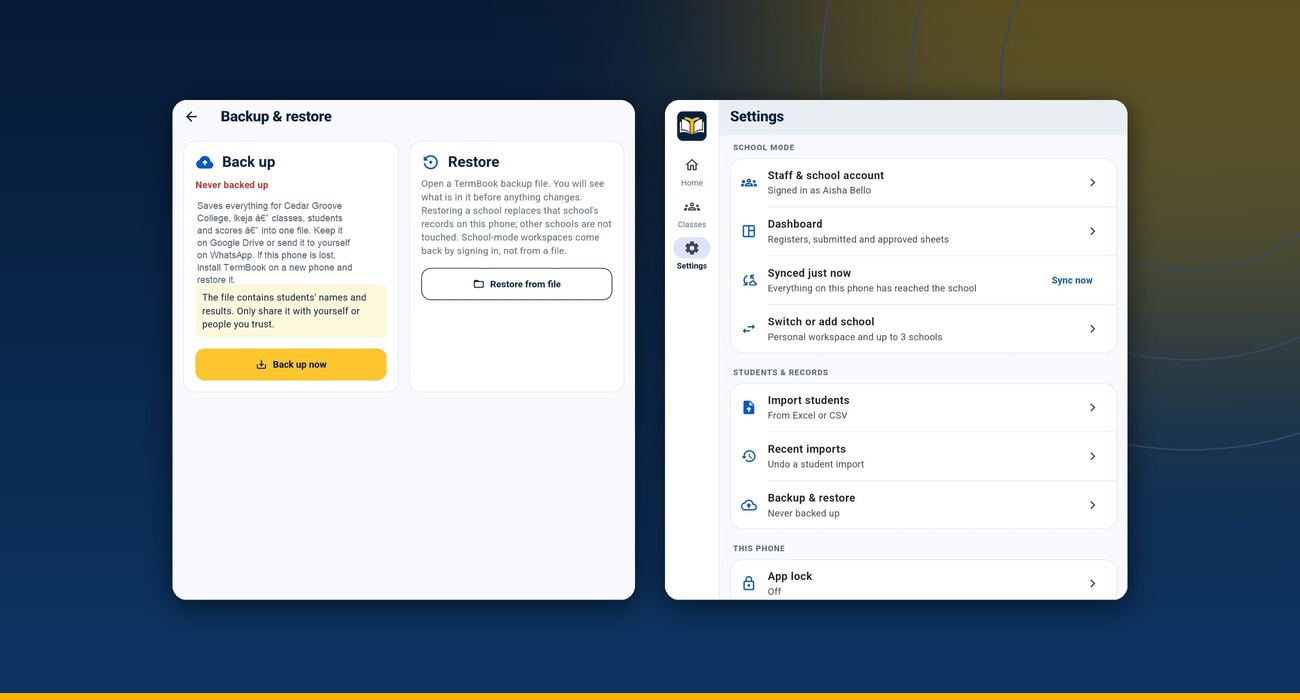
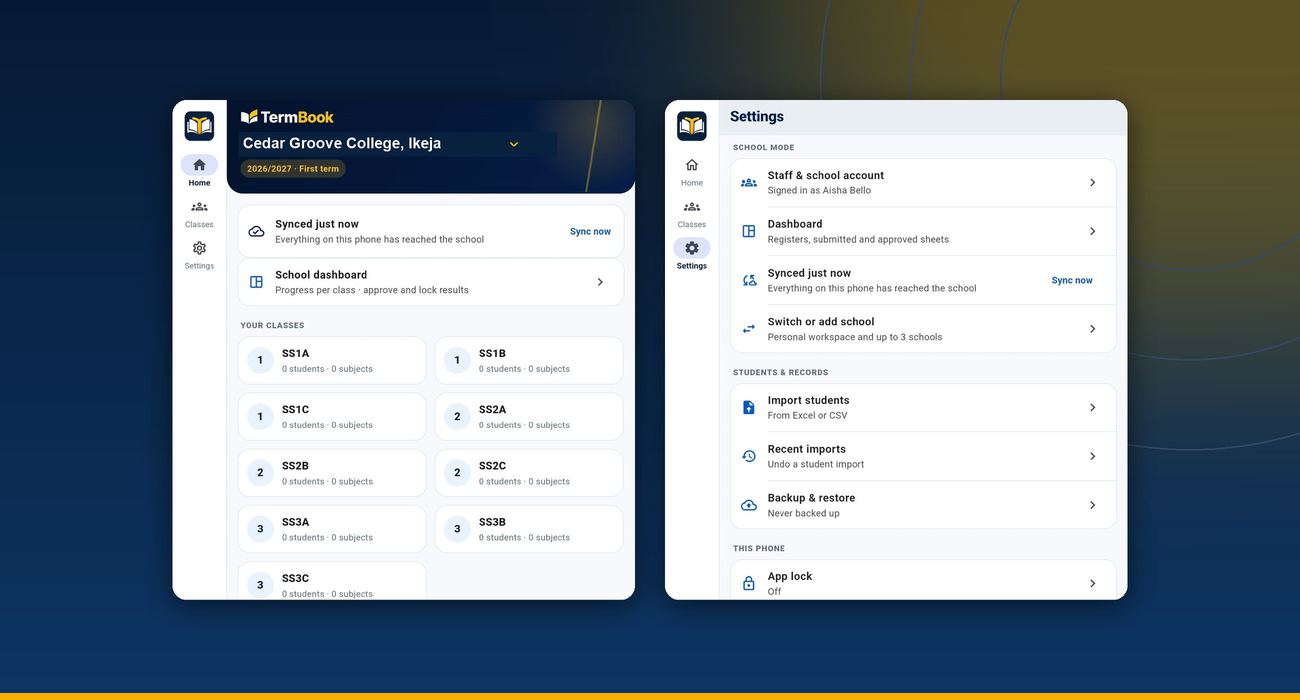
Subject teachers enter their subjects, class teachers own their class lists, and the admin approves. Every phone syncs to one school record.

  • Roles: school admin, class teacher, subject teacher, deputy
  • Sync when there is data; two people editing the same score never overwrite each other silently
  • Submit → approve → locked. Unlocking needs a reason, and every version is kept
  • A teacher removed from the school loses access at once
School mode in TermBook

And more

The things that save time every term.

Excel import

Bring in a class list from Excel or CSV, check it before saving, and undo within 24 hours.

New session and promotion

Move classes up at the end of the session; past sessions stay viewable.

WAEC subject list

Add subjects from the standard list, or type your own.

Tally card

Each class's results, live, as subject teachers submit.

App lock

A PIN or fingerprint keeps the records private on a shared phone.

Backup and restore

A backup file you can keep on Google Drive or WhatsApp.

Give your school results it can trust.

Every new school gets one full term free — no card, no payment. Or book a demonstration for your staff.